
Online Tournament Registration - Set Up in 15 Minutes

A tennis tournament in Jaipur announced registrations via a WhatsApp broadcast. Within 48 hours, the organizer had 90 messages to process: "I want to register for singles and doubles." "My partner is Rajesh - his number is 98765xxxxx." "I sent Rs 800 via GPay, screenshot attached." "Can I change my doubles partner?" "Is there an Under-17 category?"
The organizer spent the next two evenings manually entering names into a spreadsheet, matching payment screenshots to registrations, and chasing twelve people who messaged interest but never paid.
There is a better way. It takes 15 minutes to set up and eliminates 90% of the manual work.
What Online Registration Solves
The WhatsApp + spreadsheet approach breaks in predictable ways:
- ●Double entries: the same player registers twice (once directly, once through a friend), and you catch it only when creating the draw.
- ●Unmatched payments: you have 45 GPay screenshots and 48 registrations. Three people paid but are not on the list. Two people are on the list but did not pay. Finding the mismatch takes an hour.
- ●Incomplete data: you need phone number, age category, and partner name for doubles. Half the messages are missing one or more fields. You follow up individually, burning more time.
- ●No deadline enforcement: "Can I still register?" messages arrive the night before the tournament, after you have already created the draw.
Online registration fixes all of this. The player fills out a form, pays online, and is automatically added to your participant list. No manual data entry, no payment matching, no chasing.
Setting It Up: Step by Step
Step 1: Create Your Tournament (2 minutes)
On a platform like Zplys, create a tournament with: name, date, venue, sport, and a brief description. Upload a banner image if you have one (a phone photo of your venue works fine).
Step 2: Add Categories (3 minutes)
Add each event: Men's Singles, Women's Singles, Mixed Doubles, Under-17, etc. For each category, set: the entry fee (e.g., Rs 400), maximum participants (optional - close registration when full), and age or gender restrictions if applicable.
Step 3: Configure Registration Fields (3 minutes)
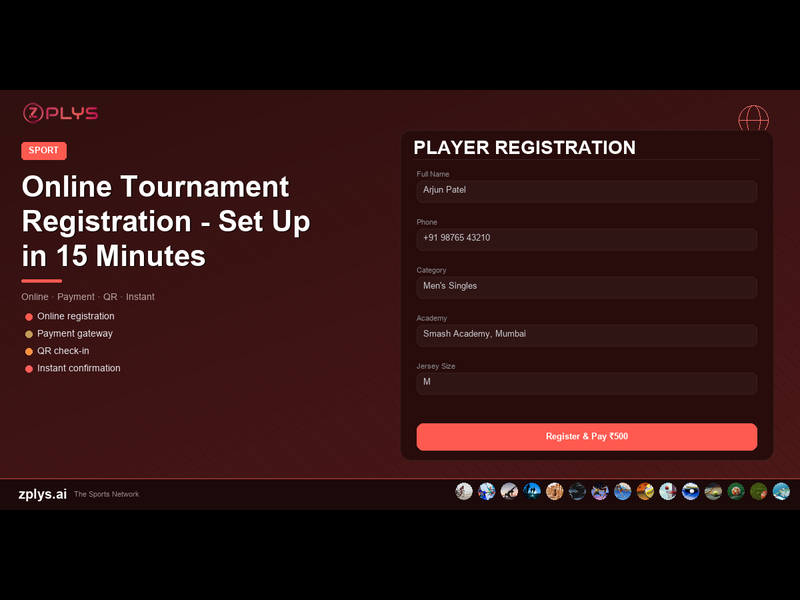
The default fields (name, phone, email) cover most cases. Add custom fields if needed: T-shirt size for tournament kits, club/academy affiliation for seeding, partner name and phone for doubles, skill level (beginner/intermediate/advanced) for grouping.
Step 4: Enable Payments (2 minutes)
Connect your payment gateway (Razorpay is standard in India). Players pay via UPI, debit card, credit card, or net banking at the time of registration. The payment is confirmed instantly and linked to their registration - no screenshots, no manual matching.
Step 5: Share the Link (1 minute)
You get a tournament registration page URL. Share it on WhatsApp groups, Instagram, your academy's Google Business page, and local sports community channels. Players click, register, pay, done.
Total setup time: under 15 minutes. No coding, no design, no technical knowledge required.
Managing Registrations After Setup
Once registrations start flowing in, your dashboard shows: total registered (with payment status), registrations by category, a filterable participant list, and revenue collected vs expected.
You can export the participant list as a CSV at any time. When registration closes, the same list feeds directly into the draw creation tool - no re-entering names.
Handling Common Scenarios
"Can I register my friend?"
Some players want to register on behalf of others. The registration form captures the player's details, not the registerer's. So yes - anyone can fill the form for anyone, as long as the player's phone number is provided.
"I want to change my doubles partner."
Most platforms allow partner changes before the draw is created. After the draw, changes require organizer intervention. Set a clear deadline in your tournament description: "Partner changes accepted until [date]. No changes after draw creation."
"I paid but want a refund."
State your refund policy upfront in the tournament description. Common policies: full refund if cancelled 7+ days before the event, 50% refund if cancelled 3-7 days before, no refund within 3 days. Having this written prevents disputes.
"Can I register at the venue?"
Yes, if you want. Keep online registration open until the morning of the event, or allow spot registration at a higher fee (Rs 100-200 extra). The spot registration premium encourages advance registration while accommodating late deciders.
The Numbers That Make the Case
Tournament organizers who switch from WhatsApp to online registration consistently report:
- ●70% less time spent on registration admin
- ●Zero payment mismatches (payments are linked to registrations automatically)
- ●20-30% more registrations (the frictionless process converts people who would otherwise procrastinate)
- ●Higher show-up rate (players who have paid online are less likely to no-show than those who "promised to pay at the venue")
The platform cost is typically 2-3% of payment processing (standard gateway charges) plus a small platform fee or free tier for smaller tournaments. Against the hours saved and the additional registrations, the ROI is immediate.
What Players Actually Want
We asked 200 tournament participants across five Indian cities what they wanted from the registration process. The top answers:
- "Tell me the categories, fees, and dates clearly." (A tournament page does this.)
- "Let me pay online." (UPI is expected, not optional.)
- "Confirm my registration instantly." (Automated confirmation message.)
- "Show me the draw and schedule before I arrive." (Posted on the tournament page.)
- "Do not make me message someone on WhatsApp and wait for a reply." (Self-service registration.)
Players in 2026 expect the same convenience from a local tournament that they get from booking a movie ticket. Online registration is that baseline.