
How to Run a Cricket Auction - Step-by-Step for Local Tournaments

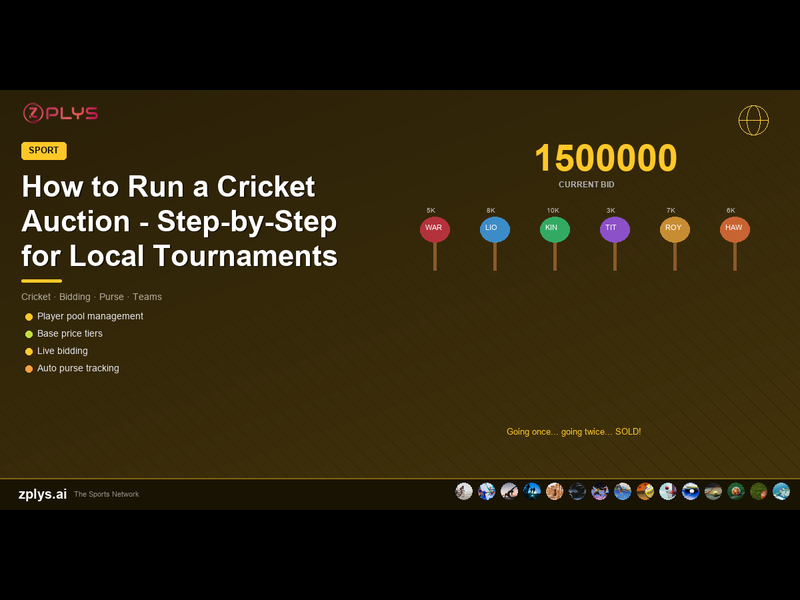
The IPL auction is a spectacle - Rs 25 crore bids, live television, war rooms with spreadsheets. You are not running the IPL. But you can absolutely run a player auction for your colony tournament, corporate league, or city-level competition. And when it is done well, the auction becomes the most talked-about part of the tournament - more than the matches themselves.
This guide covers everything from scratch: how to set up the player pool, how to price players, how to run the live bidding, and how to handle the inevitable drama when two team owners both want the same fast bowler.
Before the Auction: Setup
Step 1: Define the Teams
Decide the number of teams (typically 6-10 for local tournaments) and assign an owner or captain to each team. Each team gets:
- ●A team name and colour
- ●A purse (budget) - the total amount they can spend. Rs 50,000-2,00,000 in funny money is standard for local auctions. The exact number does not matter as long as it is the same for all teams.
- ●A squad size limit - minimum and maximum players. For an 8-a-side tournament: minimum 8, maximum 11. For 11-a-side: minimum 11, maximum 15.
Step 2: Build the Player Pool
Every player who is available for auction needs to be in the pool. This is the equivalent of the IPL's registered player list. Collect: player name, phone number, primary role (batter, bowler, all-rounder, wicket-keeper), and any notable stats (previous tournament performances, club level, etc.).
For a local tournament, you might have 80-120 players in the pool for 8 teams of 11. That is a healthy ratio - enough competition for each player without making the auction drag on for hours.
Import the list into your auction platform. Zplys lets you upload player pools via CSV - name, role, and base price. Takes 5 minutes for 100 players.
Step 3: Set Base Prices
Base price is the minimum bid for a player. This is where the auction gets interesting. You have two approaches:
- ●Flat base price: every player starts at the same price (e.g., Rs 1,000). Simple, democratic, but does not reflect player quality.
- ●Tiered base price: players are categorized by ability - Category A (Rs 5,000 base), Category B (Rs 3,000), Category C (Rs 1,000). Reflects talent levels and creates natural bidding drama when a Category C player gets bid up to Category A levels.
For first-time auctions, tiered pricing works best. It adds strategy for team owners and creates better stories ("He was a Category C pick and went for Rs 8,000!").
Step 4: Create Sets
Players are presented in sets (batches), not individually in random order. Sets group players by role:
- ●Set 1: All-rounders (most versatile, highest demand - go first to set the tone)
- ●Set 2: Fast bowlers
- ●Set 3: Spinners
- ●Set 4: Top-order batters
- ●Set 5: Middle-order batters and wicket-keepers
- ●Set 6: Remaining players
Within each set, higher base-price players are presented first. This creates a natural rhythm - intense bidding for marquee players, followed by calculated picks for supporting roles.
Running the Live Auction
The Venue
You need: a room large enough for all team owners plus spectators, a projector or large screen showing the current player and bidding status, a sound system for the auctioneer, and seating arranged so team owners face the screen with bidding paddles visible to the auctioneer.
A community hall, school auditorium, or even a large restaurant private dining room works. The key is visibility - the auctioneer must see every team owner's paddle, and every team owner must see the screen.
The Auctioneer
The auctioneer is the heartbeat of the event. They need to: announce each player with their stats and role, manage the bidding pace (not too fast, not too slow), call out bids clearly, create energy and entertainment, and close the bidding decisively ("Going once... going twice... SOLD to Team Thunder for Rs 7,000!").
The best auctioneers are someone everyone knows and respects - a senior club member, a well-known local player, or someone with genuine stage presence. They do not need training; they need confidence and a sense of drama.
The Bidding Process
- Player is displayed on screen: name, role, stats, base price.
- Auctioneer opens bidding at the base price.
- Team owners raise paddles to bid. Each bid increases by a fixed increment (Rs 500 or Rs 1,000).
- Bidding continues until no team wants to go higher.
- Auctioneer closes: "SOLD to [Team] for [Amount]."
- The system updates the team's remaining purse and squad count.
- Next player is presented.
If no team bids at the base price, the player goes unsold. Unsold players can be brought back in a later round at a reduced base price.
Timing
A 100-player auction with 8 teams takes 2.5-4 hours. Plan for 3 hours and build in a 15-minute break after Set 3. Players early in the auction go quickly (2-3 minutes each). Players later in the auction may take less than a minute each as teams fill remaining slots.
The Technology: Why You Need Auction Software
Running an auction on paper is technically possible but operationally painful. Here is what goes wrong:
- ●Purse tracking: when Team Thunder bids Rs 7,000 for Player X, their remaining purse drops from Rs 50,000 to Rs 43,000. Now they bid Rs 5,000 for Player Y - but wait, they also need to fill 6 more slots at minimum base price. Can they afford this bid? Doing this math for 8 teams in real time, under pressure, on paper - errors are guaranteed.
- ●Squad rules: Team Thunder already has 3 bowlers and their limit is 4. Can they bid on another bowler? The auctioneer needs to know instantly.
- ●Bid history: who bid on whom, at what amounts? Important for disputes and for the post-auction analysis.
Auction platforms like Zplys handle all of this automatically. The system tracks purse, squad composition, and bidding rules in real time. The auctioneer's screen shows which teams can legally bid on the current player (those with enough purse and squad slots). When a player is sold, the team's purse and squad update instantly on the display.
After the Auction: Squad Announcement
The auction ends. Each team has their squad. Now comes the moment every player is waiting for - the squad announcements.
Display each team's final squad on screen: team name, owner, players (with roles and purchase price), remaining purse, and total squad size. Send squad details via WhatsApp to every player and team owner.
If your platform supports it, export squad sheets as PDFs for each team owner - a clean document showing their full squad, organized by role, with budget spent and remaining.
Common Mistakes to Avoid
- Not enforcing budget limits strictly. If a team overspends, it undermines the entire auction's fairness. The system should prevent bids that would make it impossible to fill the remaining squad at minimum prices.
- Allowing last-minute player additions to the pool. Close the player pool 24 hours before the auction. Late additions create suspicion and disrupt set planning.
- No unsold player recovery round. Always plan a final round where unsold players are re-presented at reduced base prices. Some of the best value picks happen in this round.
- Ignoring the entertainment factor. An auction is a show. Background music, dramatic lighting for big bids, funny commentary from the auctioneer - these details make the difference between a memorable event and a boring administrative process.
- Not recording the auction. Video the entire event. Players who could not attend want to see their moment. The video becomes promotional content for the next edition.